






Microsoft’s storage cut has a deadline. Your data doesn’t.
Universities have already made a deliberate decision to invest in the Microsoft ecosystem.
That investment goes well beyond licences. It includes identity, security controls, information protection, collaboration, staff training, support models and years of familiarity with OneDrive, SharePoint and Teams.
In a sector increasingly focused on consolidating tools, few university CIOs want to respond to a storage policy change by introducing another place for staff and students to work. Nor should they casually disrupt platforms that have required enormous time, money and organisational effort to deploy securely.
The staff and student experience matters. The security posture matters. Continuity matters.
All of this makes Microsoft’s education storage change particularly difficult.
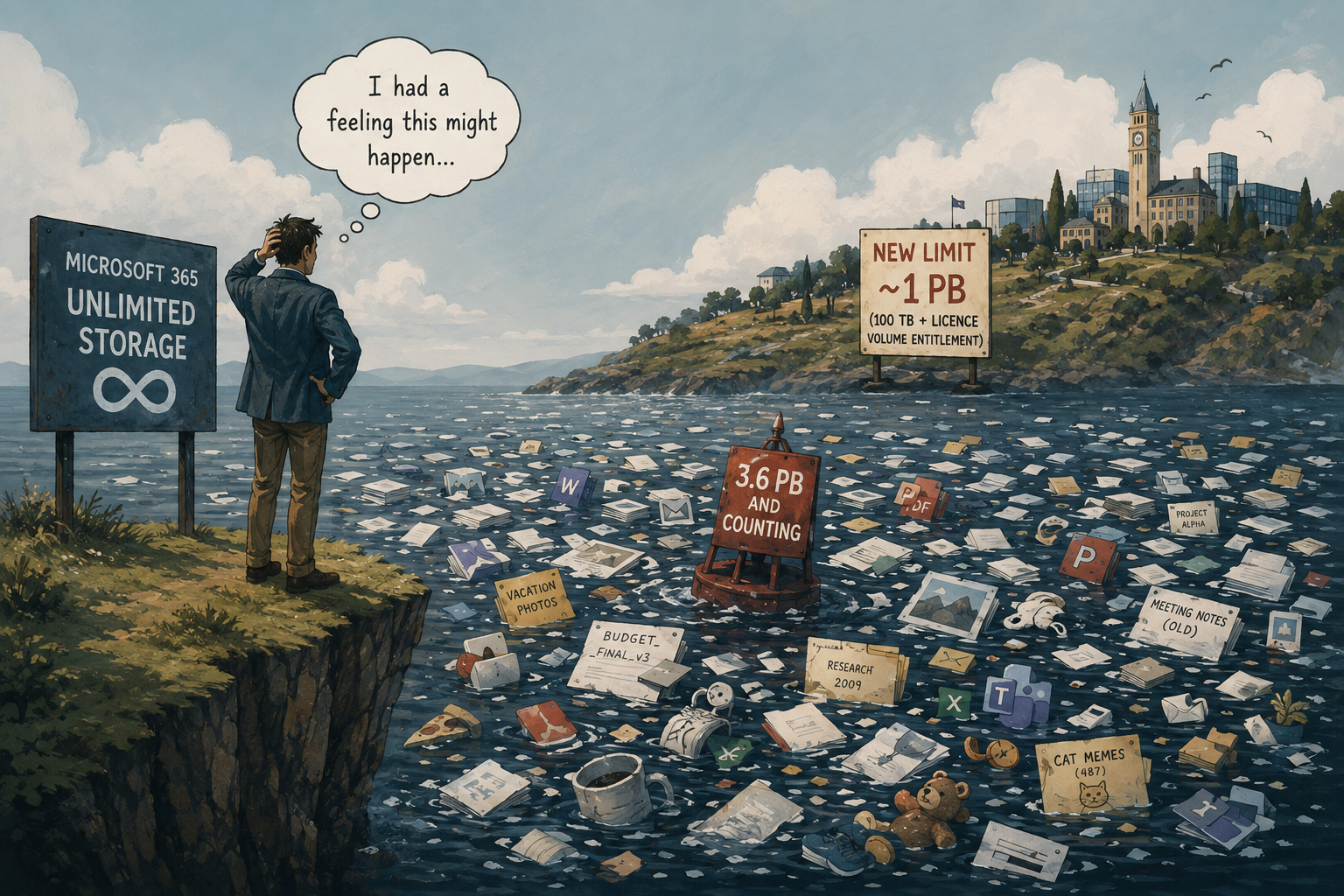
Institutions now receive 100 TB of pooled storage, plus additional capacity generated by eligible paid licences. That pool is shared across OneDrive, SharePoint and Exchange. Additional capacity can be purchased in minimum 10 TB increments, billed monthly by Microsoft. (Microsoft)
Universities are not being asked simply to reduce storage. They are being asked to rethink years of accumulated institutional data without undermining the digital environment they have deliberately built around it.
For many CAUDIT members, this arrives alongside the renewal of a new Microsoft licensing agreement expected to be executed across the sector in the coming months. That timing is worth noting. Decisions made now about data volumes and lifecycle policy will shape the terms institutions carry into their next multi-year commitment, rather than being addressed after the fact.
The data is the hard part
Microsoft first signalled this change in 2023, so the direction has been known for some time. What has proven harder to resolve is the data itself.
Years of everyday use mean most tenants now hold a mix of live research material, duplicated files, departed staff accounts and records nobody has revisited in years. A storage report can identify which accounts or sites consume the most space. It cannot explain what that data represents.
An old dataset may still be needed to support a publication. A former researcher’s OneDrive may contain information owned by the university or a research collaboration. A large Teams site may mix disposable working files with records that must be retained.
Age, size and recent access are useful signals. None of them independently tells a university whether something is safe to remove.
Deletion also carries formal obligations. Australian research guidance places responsibilities on institutions and researchers across the collection, storage, retention, disposal, sharing and reuse of research data. Ownership, stewardship and control can become especially complicated when researchers leave or projects involve several institutions. (NHMRC)
That is why a blanket instruction to “clean up your files” rarely resolves the problem on its own. The issue is not awareness. It is knowing, with confidence, what is actually there.
This is not hypothetical
Recent Australian coverage has already put numbers to this. One major university’s Microsoft 365 storage allocation is set to be cut by more than 90 per cent when its enterprise agreement renews later in 2026, the point at which the licensing changes Microsoft first announced in 2023 take effect for that tenant. (iTnews) Its pooled storage must stretch across tens of thousands of students and thousands of staff, and the university has said publicly that the change is not specific to it: every Australian institution renewing its Microsoft 365 agreement is working through the same shift. (university FAQ)
It is not an isolated case. A Microsoft 365 management vendor working across the sector has separately described being brought into one of Australia’s largest universities after it reached what the institution called a breaking point: more than 70,000 SharePoint sites, with no way to tell which were active, which were dormant, or which were safe to archive. (CoreView)
The picture across the sector is uneven. Some CAUDIT members are already multiple petabytes over their next entitlement. Others, with lower historical reliance on OneDrive and SharePoint, may not face a capacity problem at all. What both groups share is limited visibility into what their Microsoft 365 estate contains, a data management problem rather than a storage one, regardless of how close a tenant sits to its cap.
For the institutions that are over entitlement, what a reduction of this scale actually requires, in practice, is easier to see with an illustrative example. Consider a university using 4 PB of pooled Microsoft 365 storage, with an entitlement of 1 PB at its next renewal.
It begins with the obvious work. Storage teams identify duplicates, abandoned test data, temporary processing outputs and information already approved for disposal. After a significant clean-up, the university removes 400 TB.
That is a strong result, but it still leaves 3.6 PB in the tenant, well above the 1 PB entitlement.
The university also cannot plan to operate permanently at 100 per cent of its entitlement. OneDrive, SharePoint, Teams and Exchange remain live services. New research begins, students submit work, staff collaborate and data continues to grow. A prudent operating target keeps some margin below the cap, for example retaining 15 per cent headroom under the 1 PB entitlement, which means the real task is closer to relocating 2.75 PB than the 2.6 PB implied by the entitlement alone.
That is a large volume of data to move responsibly, and the tenant cannot simply be dedicated to exporting data as quickly as possible. It must continue serving staff, researchers and students. Microsoft deliberately slows large migration and backup transfers during weekday business hours to protect performance for everyone else on the service, and this cannot be switched off by raising a support ticket. (Microsoft Learn)
Even at an average movement rate of 10 TB each day, the relocation would take about nine months. At 5 TB each day, it would take around eighteen months. Both scenarios exclude the time required to classify the data, engage custodians, approve deletion, preserve permissions and metadata, resolve failed transfers and validate the result.
The gap, in short
Renewal: months away.
Responsible migration: 9 to 18 months.
The order of magnitude is the point, not the precision.
For a CIO, that is the gravity of the situation. The commercial deadline may be measured in months, while responsible remediation can take considerably longer. Left unaddressed, the gap tends to be filled with unbudgeted bridge capacity: spend that keeps the environment running without resolving the underlying problem.
There is a budgeting problem sitting underneath the technical one. Many institutions are working through IT budgets for FY2027 right now, and a Microsoft 365 estate that has not been assessed against the new entitlement is a genuine unknown in that process. Additional storage charges could turn out to be a rounding error or a material line item, and without visibility into the actual data footprint, there is no way to tell which before the number gets locked into a budget rather than discovered after it.
And this is hardly the only challenge competing for the university’s attention.
The apparent options all involve compromise
Five responses come up in almost every conversation about this problem. Each buys something. Each costs something.
Buy additional Microsoft capacity. Keeps services running and buys time. It does not reduce the size or complexity of the estate: the university keeps paying to retain content that may be inactive, duplicated or eligible for disposal. Archiving inactive SharePoint content can change its price treatment, but active and archived storage still count together against the tenant’s entitlement, and archiving does not remove the need to govern the data. (Microsoft Learn)
Ask users to clean up. Staff and researchers often understand the working value of their own files better than anyone. They rarely know the university’s retention or contractual obligations and will understandably hesitate to delete anything they are unsure about. This removes known waste. It does not resolve the whole estate.
Delete using broad rules. The fastest option, and the easiest to regret. Age, size and inactivity are signals, not evidence. The question that matters is whether the institution has a defensible basis for keeping, moving or disposing of a given file, not whether someone opened it recently.
Move everything to another platform. A legitimate strategy for institutions already committed to reducing their reliance on Microsoft 365, not simply a reaction to a storage change. It is also a multi-year undertaking: if that work has not already begun, it is unlikely to change the university’s position before the next renewal, and it is not in conflict with getting the existing estate under control in the meantime.
Treat backup as archive. Protects against loss. Does not make data described, searchable or governed. Preserving the bytes and understanding what they represent remain two different jobs.
None of these five is wrong. None of them, alone, is sufficient.
Keep Microsoft as the place people work
The more practical objective is not to empty Microsoft 365.
Universities have already paid for a meaningful allocation, and active collaborative data belongs there. OneDrive, SharePoint and Teams should remain the familiar front door for staff, students and researchers.
The opportunity is to manage what sits behind that experience more intelligently.
CAUDIT Cloud Data Lifecycle, developed by Macquarie Cloud Services and Arcitecta, begins with file-level visibility into ownership, age, file type, access patterns, distribution and the areas driving storage growth. That gives the university a clearer basis for deciding what should remain, what can be defensibly deleted and what belongs on a more appropriate storage tier.
Visibility on its own does not move a single file. What makes it useful is what happens next: real options to act on what it shows, not just a better-documented version of the same problem.
It does not make the governance decision on the university’s behalf. Someone still must decide whether a given dataset is safe to move or delete, and that judgment stays with the institution. What changes is whether the decision is made with real information or a best guess.
Active information remains in Microsoft 365. Inactive content can move into a managed sovereign environment, while a reference remains where users expect to find it. Opening that reference can recall the file without the user needing to understand the underlying storage architecture or lodge a service request. If the data becomes active again, it can return to Microsoft 365.
This matters because the right solution should be largely invisible to the people using it. Staff should not be asked to change how they work simply because the commercial model beneath the platform has changed.
It also allows the university to preserve its security posture rather than creating an unmanaged second environment. Data remains governed, permissions and metadata can be carried with it, and lifecycle policies can determine when information is retained, moved, recalled or disposed of.
An opportunity for better research data stewardship
For research data custodians, this creates an opportunity that extends beyond reducing storage costs.
Research data can be progressively associated with richer metadata, ownership, provenance, project context, retention requirements and access conditions. Material previously hidden inside a folder or a former researcher’s account can become more visible and understandable to the people responsible for it.
That provides a practical pathway towards the FAIR principles, making research data more Findable, Accessible, Interoperable and Reusable. FAIR does not mean making every dataset public. Access can remain controlled according to ethics, privacy, security and commercial sensitivity. (ARDC) For research involving Indigenous data, the complementary CARE principles, covering collective benefit, authority to control, responsibility and ethics, apply alongside FAIR rather than instead of it. (ARDC)
The point is to help authorised people find the data, understand what it represents and determine how it may be appropriately reused.
A chance to do more with less
It is not often that a licensing change creates room to fix a cost problem and a governance problem in the same motion. For institutions over their next entitlement, this is one of those moments, if treated as more than a licensing issue to absorb and forget. For everyone else, the cost pressure may not apply, but the governance question does regardless.
That does not make the work easy. It still requires governance, consultation, technical planning and time, and it deserves to be approached with respect for the scale of investment universities have already made in Microsoft 365 and the people who rely on it every day. Whichever of the five paths above an institution takes, and more than one will usually apply at once, none of them go anywhere on visibility alone. Seeing what is in the estate matters, but only if it comes with somewhere to put what’s found: a way to move data out of the tenant, bring it back if it becomes active again, and keep the same governance and permissions the whole way through. That combination, not a dashboard on its own, is the step that must happen first, regardless of what comes after it.
To learn more about how Microsoft storage cut may impact your team, visit our data lifecyle page or contact out team.